The tools below are for Windows-based computers only, mainly because this security issue is not very prevalent in other operating systems. For more information on the technical background behind these tools: http://nickbrown-france.blogspot.ca/2007/10/memory-stick-worms.html
Protecting Your Computer
This tool will disable the autorun feature on all media (CD, USB), meaning USB worms won’t automatically run when an infected USB key is plugged into your computer! It also lets you (re-)enable the feature (if you wish).
Simply download, execute, and follow the prompts.

Download: Autorun Protector (PC) (37 kB) | Source Code
Protecting Your USB drive
You can protect your USB drive from getting compromised by an infected computer by creating a “permanent” autorun.inf folder that is undeletable/unmodifiable.
Plug in your USB drive, and run my tool below.
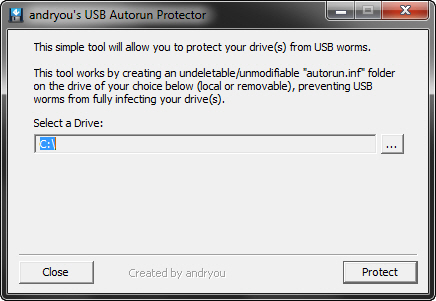
Download: Autorun Protector (USB) (67 kB) | Source Code
If an autorun.inf file already exists on the drive, my script will create a backup of it (“autorun_old.inf”).
Protecting Your Computer AND Your USB drive
I have combined the above two tools into one!
Download: Autorun Protector (PC and USB) (67 kB) | Source Code